
The problem:
You have a container under a docker-compose project, that you want to communicate or access another container which exists under a second docker-compose project
A real-life situation?
For some security policy, your SysOp or hosting provider blocks all external traffic, except those for port 80 (HTTP) or port 443 (HTTPS). However, you want to set up and manage several web (or non-web) services on your machine, basically using docker containers and managed by docker-compose.
To handle this you set-up a reverse-proxy using a dedicated docker-compose project and container, called proxy.
The proxy container/project listens on port 80, for all incoming external requests. (The nginx config can distinguish the called domain with the server_name directive)
On the other side, on another docker-compose project, you have a Kibana service that serves request on kibana.exemple.com, but under port 5601 (still HTTP traffic).
The Kibana service is on a dedicated container called kibana, among three other containers in the ELK docker-compose porject (different from the reverse-proxy project).
The solution as you would guess, is that the reverse-proxy forwards the external http://kibana.exemple.com:80 to an internal http://kibana:5601, to solve the port restriction issue.
The kibana domain name used when we want to hit the http://kibana:5601 endpoint, is actually unknown to the outside, or even to the host machine (in principle), it is only internally resolvable by docker built-in DNS to map it to the kibana container. The problem here is, the network to which the kibana container belongs to is internal and only visible within the ELK docker compose projcet, to which kibana container belongs.
Yet, we want the reverse-proxy container that lives in a separated project to be able to hit that endpoint without much boilerplate work.
A solution?
Fortunately, docker-compose provides an easy way to solve this kind of situations, which is the external networks.
An external network must be defined, outside from the docker-compose config (one way through a docker-compose command)
Both networks should join this network, and, that's all.
Now you can just refer the container by its name from one or the other side as if they were on the same project
Here it how the official docker-compose defines the feature:
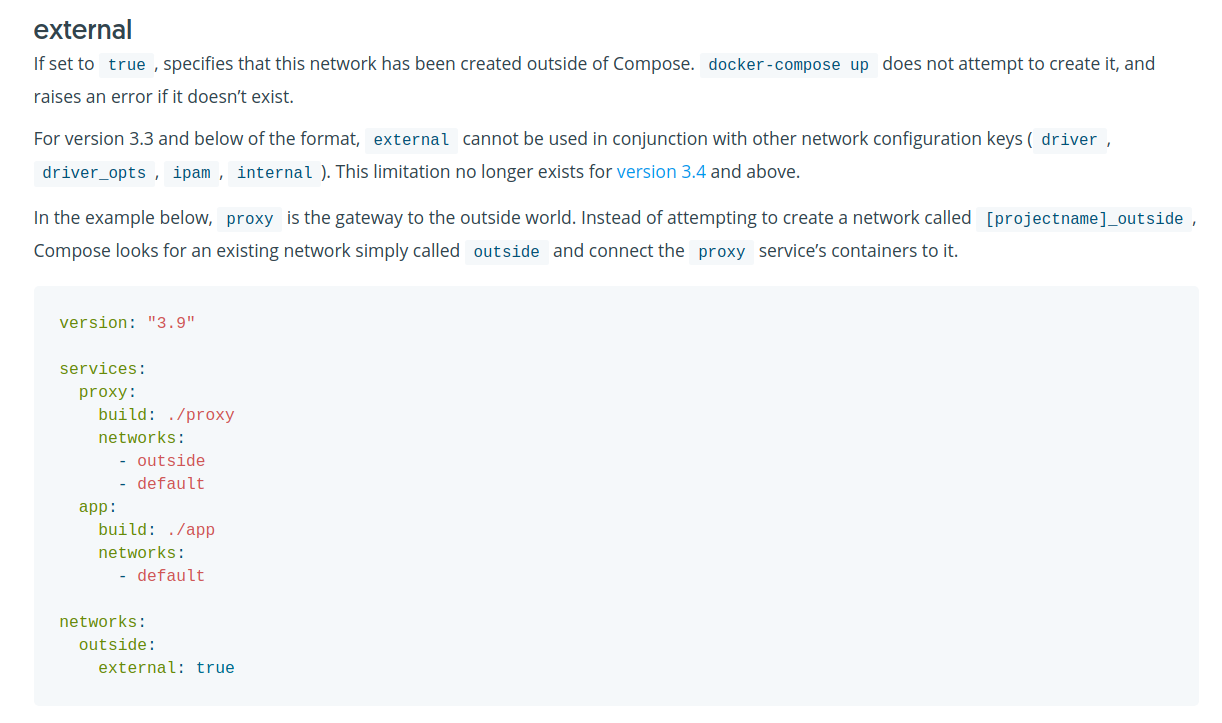
How to make it work?
- Create an external network from command line, here we suppose you name it proxy_external
$ docker network create proxy_external
- Add the proxy_external under the services → proxy→ networks level of docker-compose.yml of the reverse-proxy project
- Add the proxy_external straight under the networks level of docker-compose.yml of the elk project . Define this as an external network
# reverse-proxy project

version: "3.8"
services:
  proxy:
       # ..
    networks:

      # This is the internal network for the reverse-proxy project
      - proxy

      # This is the external proxy
      - proxy_external
networks:

  # This is the server's network, defined by the service
  proxy: ~

  # This is an external network. It serves as a bridge between reverse-proxy and other projects.
  proxy_external:
    external:
      name: proxy_external
Add the proxy_external under the services → kibana→ networks level of docker-compose.yml of the reverse-proxy project
Add the proxy_external straight under the networks level of docker-compose.yml of the elk project . Define this as an external network
# elk project

version: "3.8"
services:
  elk
       # ..
    networks:

      # This is the internal network for the elk project
      - elk

      # This is the external proxy
      - proxy_external
networks:

  # This is the server's network, defined by the service
  elk: ~

  # This is an external network. It serves as a bridge between reverse-proxy and other projects.
  proxy_external:
    external:
      name: proxy_external
Further readings:
https://docs.docker.com/compose/compose-file/compose-file-v3/#network-configuration-reference
https://odysee.com/@the-digital-life:a/docker-networking-tutorial-all-network:1
About the author
I try to solve problems from bare metal to abstractions and just make it work.
Comments
Join the discussionNo comments yet. Be the first to comment.


